
Turn Your Game Into Epic Highlights
Upload your full game footage, let HoopTuber detect the made baskets, and get a share-ready highlight reel without manually trimming every clip yourself.
Everything you need to
go viral
Automatically detects every made basket
Our model watches your footage frame-by-frame, identifying ball arcs and net swishes with pro-level precision. No more scrubbing through hours of video, just upload your game and get a ready-to-share highlight reel in minutes.
Learn more →How it works
How HoopTuber Works
HoopTuber takes users from raw game film to a finished highlight flow: upload footage, let the system detect made baskets, then share the finished reel and organize runs with other players.
Record & Upload
Record with a phone, GoPro, or broadcast camera, then upload your raw basketball footage directly into HoopTuber to start processing.
AI Basket Detection
HoopTuber scans the full video, finds made baskets, and removes the dead time so the user gets a cleaner highlight reel faster.
Share & Connect
Post your highlight, share it with coaches or friends, and use HoopTuber runs to keep your basketball community connected around future games.
Basketball runs made simple
How to find, join, and organize runs using HoopTuber's features
Connect with your basketball community. Go local or explore! Find pickup games, join organized runs, or create your own! — All in one place.
Support Your Local Hoop
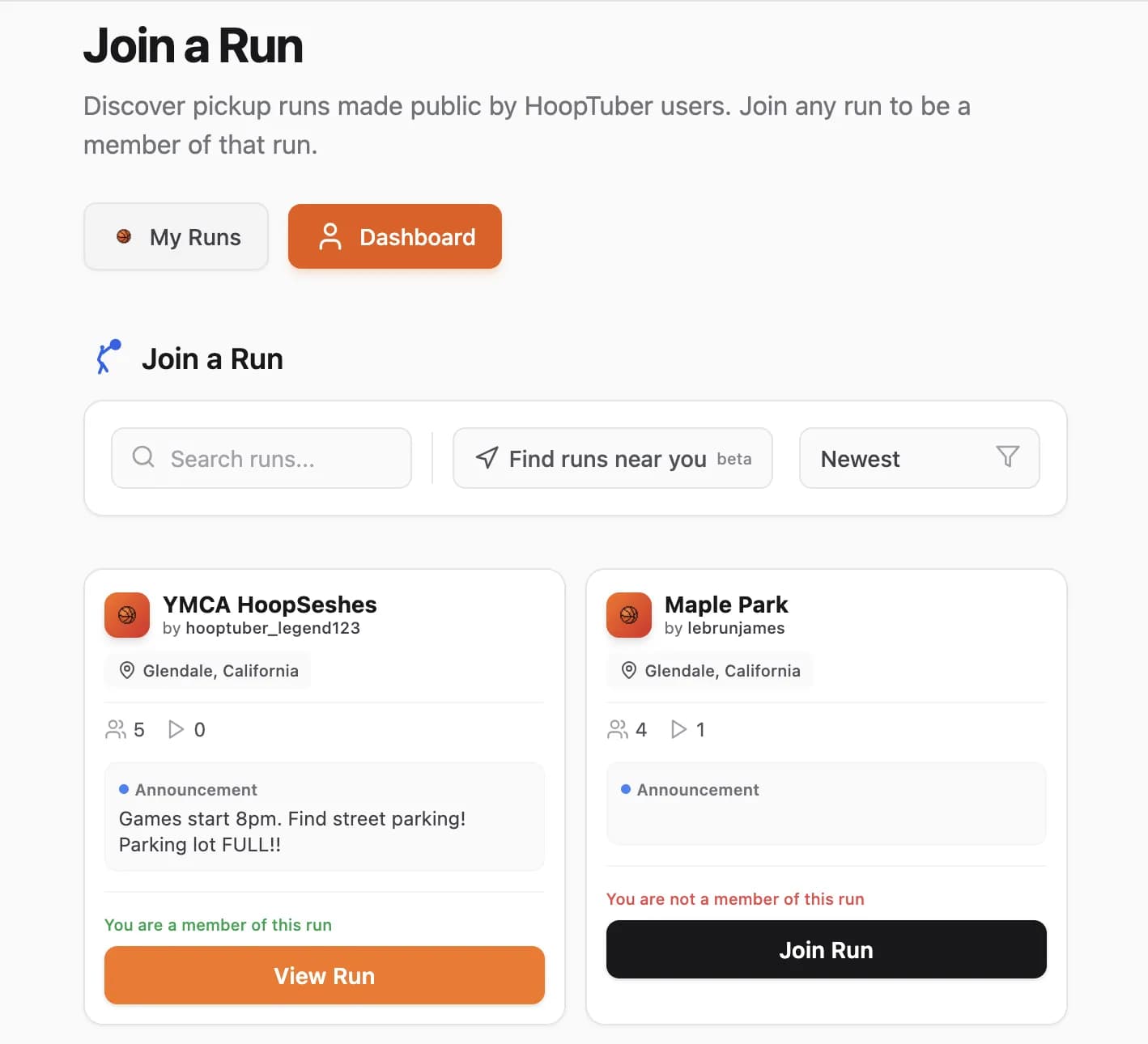
Use Join a Run to find public basketball runs, then review the date, time, location and announcement, in the My Runs page.
Step 1
Public runs or Private runs. Your choice!
Public runs or Private runs. Your choice!
All runs can either be Public or Private. Private runs can only be joined by invitation. Public runs, on the other hand, can be found on the “Join a Run” page. Here, the run name, location, and announcement can be found.
Join the Action
Use the Join A Run feature to join in on any public run! If it is public, you can join it!
Step 1
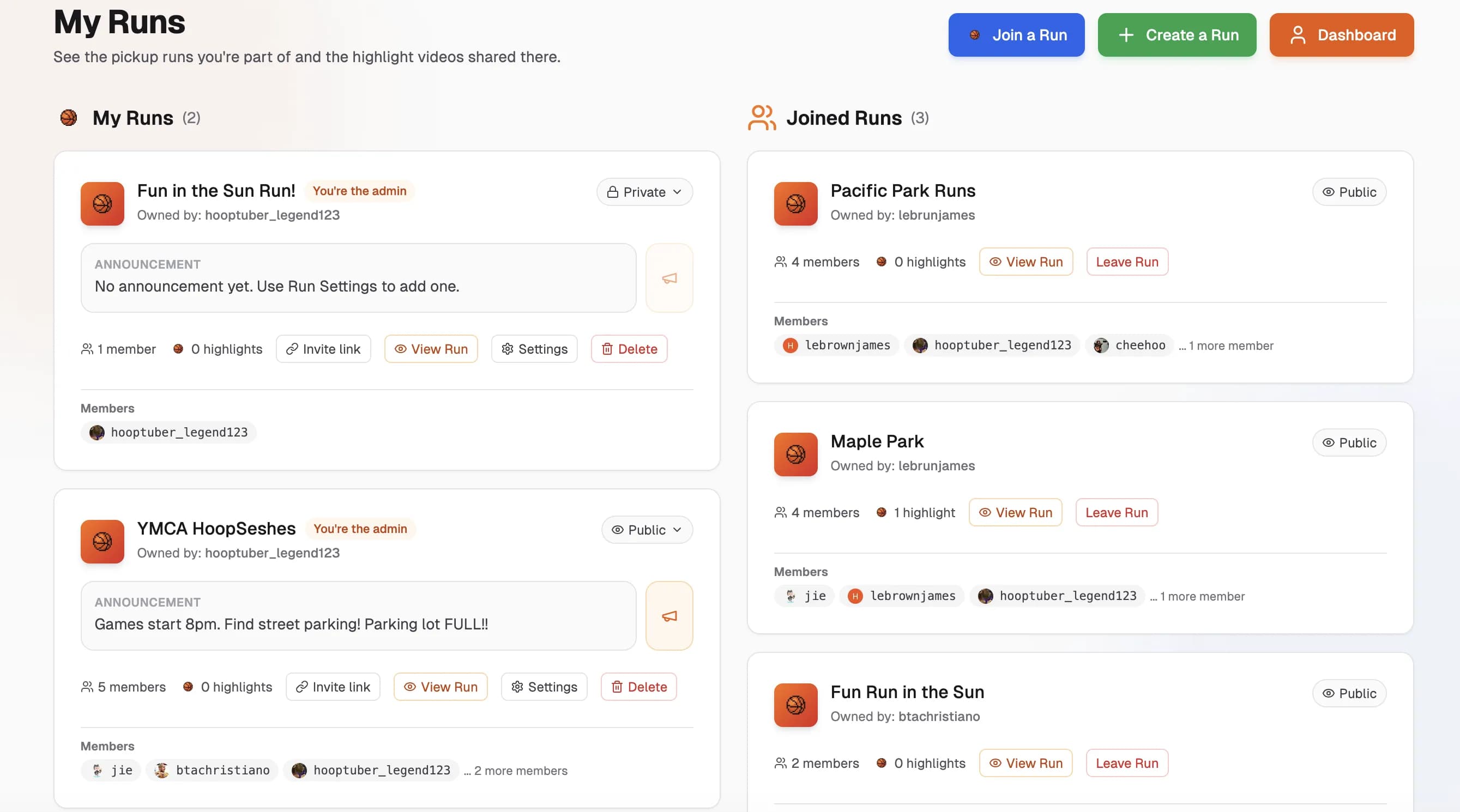
Check all joined runs in one place!
Check all joined runs in one place!
Whether the user joined from an invite link or from the Join a Run page, all you have to do is go to the “My Runs” page and look under the ‘Joined Runs’ section of the page to see all joined runs.
Organize Your Run
Whether you are running 5s, 3s or even a 1 on 1 tournament, take control of your runs. Create your own run, schedule games, and keep everyone in the loop with announcements and polls!
Step 1
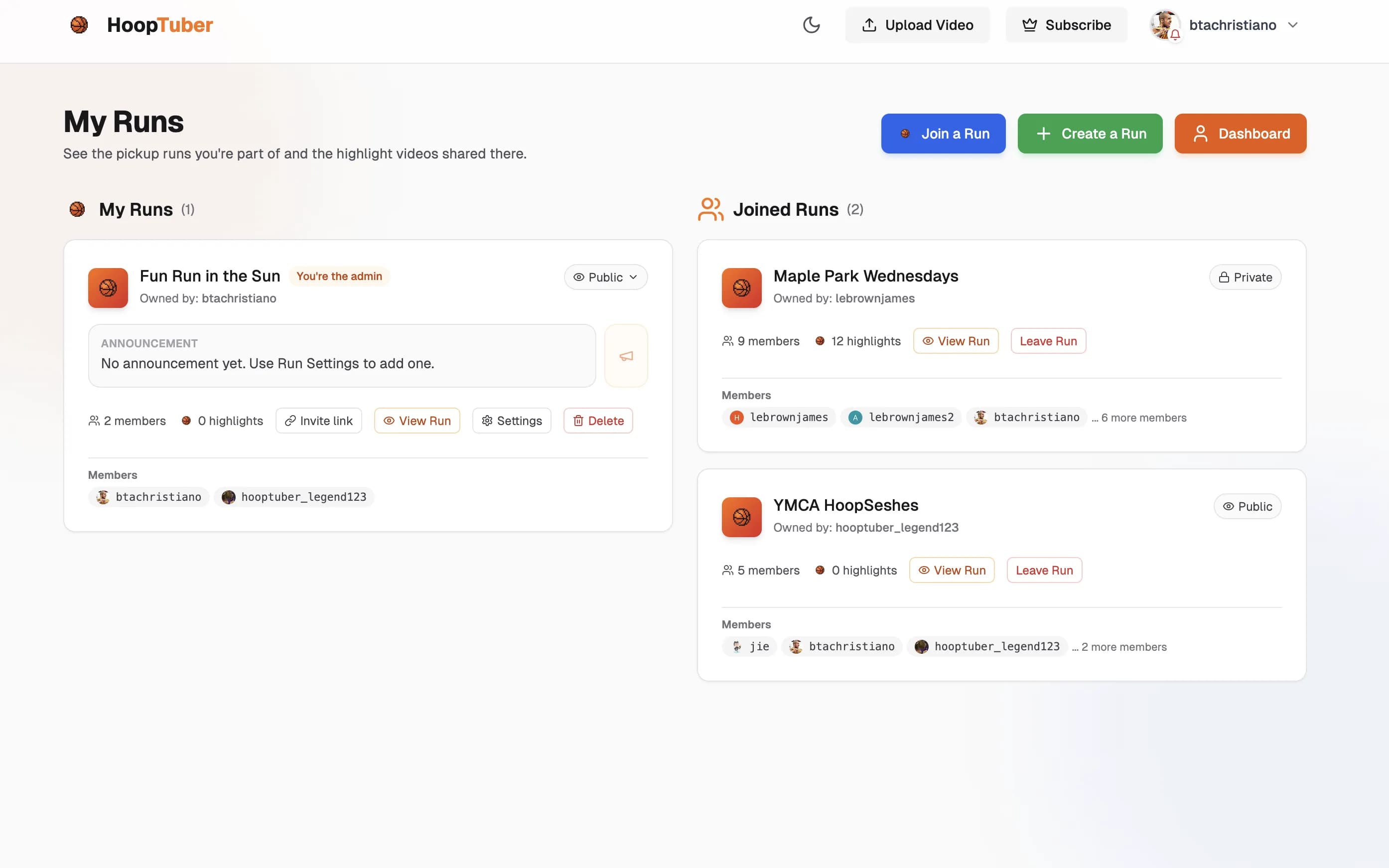
My Runs is the home base for run owners!
My Runs is the home base for run owners!
All HoopTuber users have the ability to create a basketball run for them and their friends. Go to the dropdown menu in the upper right hand corner and click on ‘My Runs’ to get to the “My Runs” page. The “My Runs” page is where every run will be held. At first, this page will be empty. Eventually this page will be populated with owned runs and joined runs.
See HoopTuber in Action
Ready to Elevate Your Game?
Join thousands of players, coaches, and content creators using HoopTuber to showcase their skills to the world.